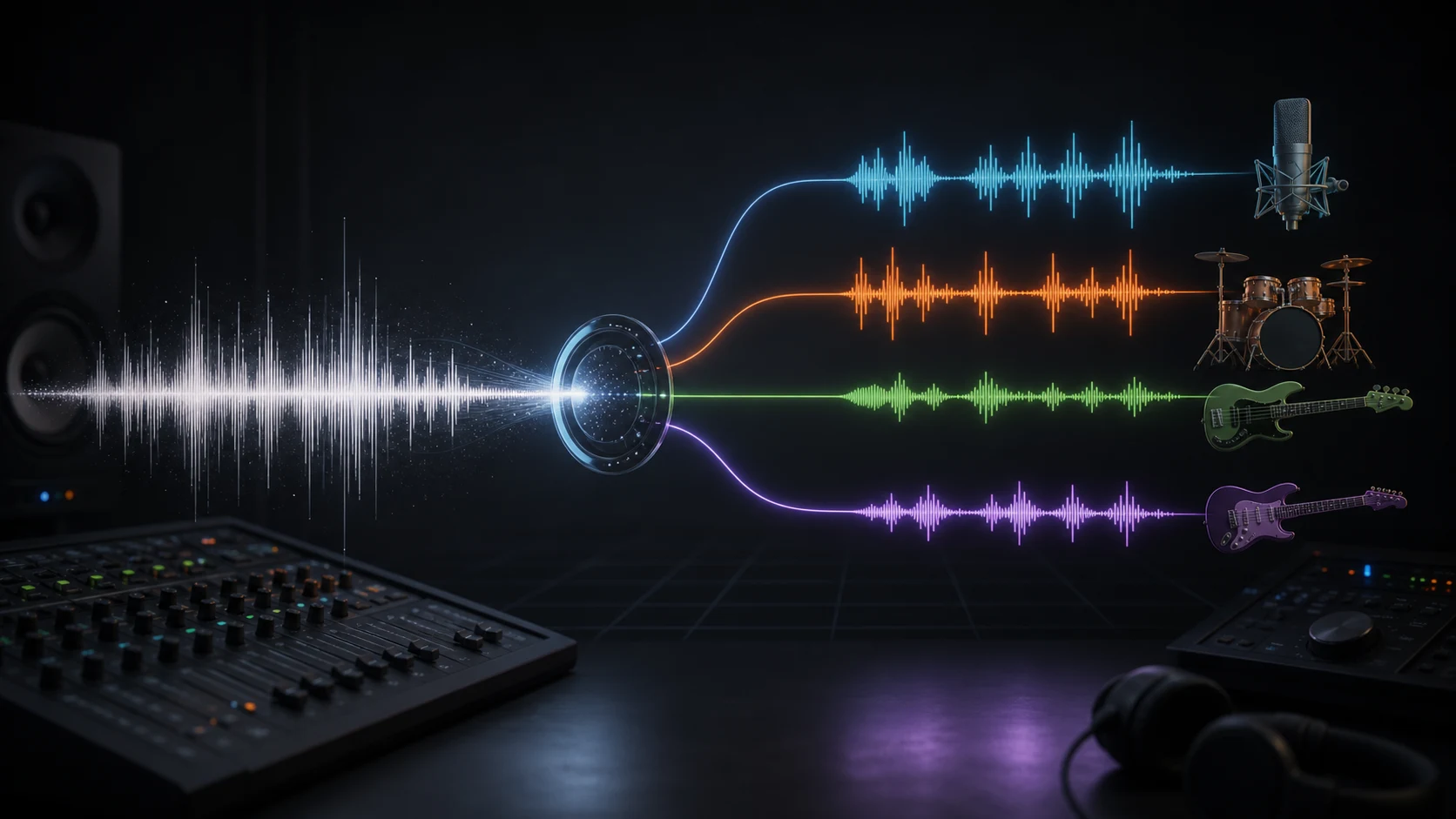
How AI Vocal Removal and Stem Separation Work
A practical look at Demucs, source separation, and how CreateMusicAI turns research-grade audio separation into simple creator tools.
They say you cannot unbake a cake. In audio, separating a finished song into vocals, drums, and bass used to feel similar: you could hear the ingredients, but you could not cleanly pull them apart. AI source separation does not truly recover the original studio session, but it can now make surprisingly useful estimates.
That is why many audio tools start with a very practical question: can I get the vocal out of this song, or can I split the track into usable parts?
For a listener, a finished song feels like one object. For a producer, DJ, singer, teacher, or content creator, that same song may contain several useful layers: a vocal line, a drum groove, a bass part, and everything else in the arrangement. AI vocal removal and AI stem separation are ways to turn that finished mix back into separate, workable audio files.
The idea sounds simple. Upload a song, choose what you want, and download the result. Under the hood, though, this is one of the more interesting problems in music AI. The audio file does not contain separate folders labeled "voice", "drums", and "bass". It contains one mixed waveform, where all of those sounds overlap in time, frequency, loudness, stereo position, and reverb.
That is why modern tools use source separation models such as Demucs, instead of relying on old tricks like EQ filtering or center-channel cancellation.
What Source Separation Means
Source separation is the task of estimating individual sound sources from a mixed audio signal. In music, the most common targets are vocals, drums, bass, and other instruments. When a model separates a song into those four outputs, people usually call the results "stems".
AI vocal removal is a narrower version of the same idea. Instead of asking for four stems, the model is asked for two broad groups:
- vocals
- accompaniment, or the instrumental track without the vocal
That is useful for karaoke tracks, acapellas, covers, vocal practice, remix sketches, and quick arrangement experiments. Stem separation goes further. It gives you more control by separating the mix into vocals, drums, bass, and other, which is better for remixing, sampling, learning parts, or studying the production of a song.
Both workflows are built on the same basic problem: the model must listen to a finished mix and infer which parts of the signal likely belong to each source.
Why a Finished Song Is Hard to Split
If music were neatly organized by frequency, source separation would be easy. We could remove low frequencies for bass, high frequencies for cymbals, and midrange for vocals. Real music is not like that.

A human voice can sit in the same frequency area as guitars, synths, pianos, snares, and room reflections. A kick drum and bass guitar can share the same low-end space. A vocal reverb tail can spread across the stereo image and blur into pads or background instruments. Mastering compression can glue all of these sounds together even more tightly.
This is also why older vocal remover methods often felt unreliable. Many of them assumed the lead vocal was centered in the stereo field, then tried to cancel the center channel. That can work on some songs, but it can also remove kick, bass, snare, or anything else mixed near the center. It struggles with reverb, backing vocals, stereo effects, and modern dense productions.
AI source separation is different. It does not simply cut a frequency band or cancel a stereo position. It uses a trained model to recognize patterns that tend to belong to specific sources. The model learns what vocals often look like, how drums behave over time, what bass notes contribute to the low end, and how other instruments fill the rest of the arrangement.
Demucs Behind the Workflow
Demucs is an open-source music source separation project created by Alexandre Defossez and originally developed at Meta AI. The current repository describes Demucs as a state-of-the-art music source separation model, with support for separating songs into drums, bass, vocals, and other accompaniment.
The version most relevant to modern usage is Hybrid Transformer Demucs, often referred to as HTDemucs. The project describes it as a hybrid spectrogram and waveform separation model using Transformers. In practice, that means it can use both the raw shape of the audio over time and a frequency-over-time view of the mix. The waveform side helps preserve timing, transients, and fine detail; the spectrogram side helps the model recognize harmonic and frequency patterns. The Transformer layers add broader musical context, so the model can reason about a vocal phrase, drum groove, or bass line as something that unfolds over time, not just a collection of isolated audio slices.
Demucs also supports a two-stem vocal mode through options such as --two-stems=vocals. In practical terms, that means the same family of separation technology can support both a vocal remover workflow and a full stem splitter workflow.
For readers who want the research detail, the Hybrid Transformers for Music Source Separation paper is the technical reference behind HTDemucs.
What the Model Is Actually Estimating
It is important to be precise about what AI separation does. It does not recover the original studio session. If a song was exported from a DAW, mastered, compressed, and released as a stereo file, the original multitrack information is no longer stored inside that file in a clean, reversible way.
The model is making an informed estimate. Given the mixed signal, it predicts what the vocal stem probably sounds like, what the drums probably sound like, what the bass probably sounds like, and what should remain in the other stem. The better the model, the better those estimates become.
This is why results can be impressive but not mathematically perfect. A separated vocal may still contain a little cymbal wash or guitar texture. An instrumental track may keep a faint vocal shadow, especially in reverb tails. A drum stem may include some bass attack if the kick and bass are tightly layered. These are not random mistakes. They are signs of the core difficulty: in a finished mix, sources physically overlap.
In a good separation, those artifacts are small enough that the output becomes useful. For karaoke, practice, remixing, sampling, or analysis, a high-quality estimate is often exactly what the workflow needs.
Vocal Removal vs. Stem Separation
Vocal removal and stem separation are related, but they serve different creative jobs.
AI Vocal Remover is best when the question is specific: "Can I remove the lead vocal?" or "Can I extract the vocal?" The expected outputs are usually an acapella and an instrumental. That makes it a natural fit for karaoke, cover practice, vocal analysis, and quick backing tracks.
AI Stem Splitter is better when you want to work with the structure of the mix. The four-stem output gives you vocals, drums, bass, and other instruments. This is useful when you want to mute the drums to practice, isolate a bass line, sample a groove, build a remix, study the arrangement, or rebalance parts of the song in a DAW.
From a technical point of view, four-stem separation is a more detailed task. The model has to decide not only what is vocal and what is not, but also how to divide the accompaniment into musically meaningful groups. That is useful, but it also means there are more boundaries where small amounts of bleed can happen.
The right choice depends on the goal. If you want an instrumental track, use vocal removal. If you want more creative control over the arrangement, use stem separation.
What Affects Separation Quality
The input file matters. A clean WAV or FLAC file usually gives the model more useful detail than a low-bitrate MP3. High-quality audio does not guarantee perfect stems, but it gives the model a better signal to analyze.
The arrangement matters too. Sparse songs with clear vocals, defined drums, and a stable bass line are generally easier to separate. Dense rock mixes, heavily layered synth tracks, live recordings, distorted guitars, crowd noise, and long reverb tails are harder. These sounds can cover each other in both frequency and time.
Mixing choices also matter. If the vocal is drenched in delay and reverb, the dry voice may separate well while the ambience partly remains in the instrumental. If the kick and bass are heavily sidechained or distorted together, the low end may be harder to divide cleanly. If backing vocals, lead vocals, and synth pads occupy similar ranges, some texture can move between stems.
This is the honest way to think about AI source separation: it is not a lossless "unmix" button, but it is a strong reconstruction tool. The best results come from giving the model a clean source, choosing the right separation mode, and using the output as creative material rather than expecting a perfect studio multitrack.
Why GPU Acceleration Matters
Source separation is much heavier than a traditional audio filter. A filter can apply a fixed rule. A model such as Demucs runs deep neural network inference over the audio, analyzing time, frequency, and context before producing new audio outputs.

That compute cost is one reason GPU acceleration matters. Modern GPUs are designed for the parallel math used by neural networks. Running separation on a powerful GPU can make the workflow feel like a tool instead of a technical setup project.
We run this processing on NVIDIA A100 GPUs. The important point for users is not the hardware name by itself. It is what the hardware makes possible: faster turnaround, stable processing for demanding models, and no need to install Python, CUDA, model checkpoints, or command-line tools locally.
You upload the audio. The system handles the heavy inference work.
Further Reading
If you want to go deeper into the underlying technology, start with the Demucs repository and the HTDemucs research paper. For hardware context, NVIDIA's A100 Tensor Core GPU page explains the class of GPU infrastructure commonly used for AI workloads.
How This Becomes a CreateMusicAI Feature
CreateMusicAI wraps this technical workflow into two simple tools: AI Vocal Remover and AI Stem Splitter.
The product layer is intentionally simple: No installation required. Upload an audio file, choose whether you want vocal removal or full stem separation, and let A100-powered processing handle the heavy work. You do not need to install Demucs, configure GPU drivers, choose model files, or run terminal commands.
Behind the interface is serious source separation technology. In front of you is a fast, practical workflow for turning finished songs into high-quality, creative-ready stems: instrumentals, acapellas, drums, bass, and other stems for karaoke, remixing, practice, analysis, and content creation.
KI Gesangsentferner
Laden Sie einen Song hoch und trennen Sie Gesang und Instrumentals mit KI. Erhalten Sie saubere Acapellas oder Backing-Tracks für Karaoke, Remixing, Lernen oder Content-Erstellung – keine Installation nötig.
Autor